
Created: Sep 12, 2021
Last Updated: Sep 12, 2021
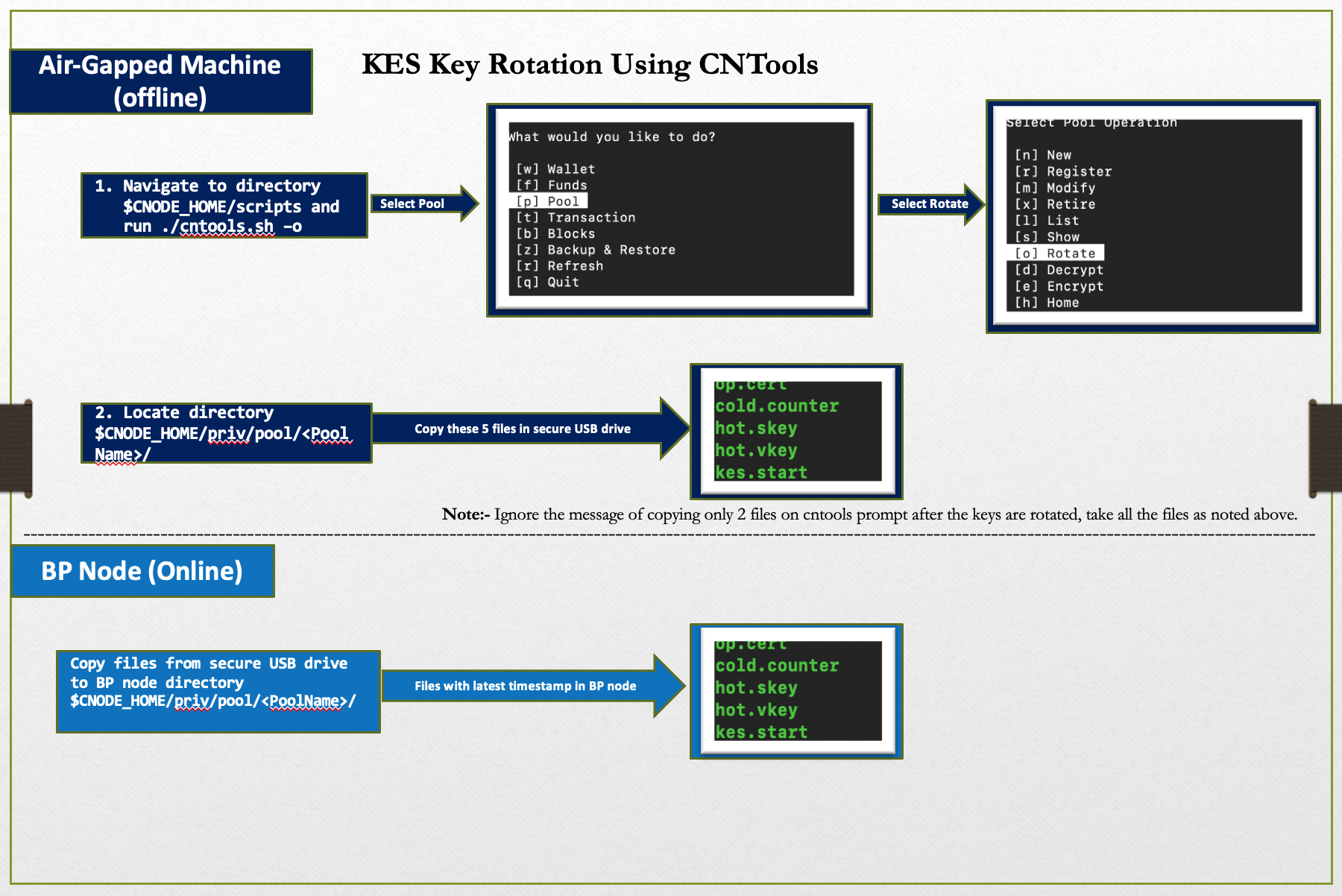
Based on our experience rotating KES keys, we had put together this blog post explaining the
process of rotating KES keys using CNTools in Hybrid mode (online/offline nodes).
We did this twice so far and were successful both the times
(we did not miss a block after key rotation)
Airgapped/Offline Node
- Navigate to directory "$CNODE_HOME/scripts" and run "./cntools.sh -o"
- Select the option, Pool
-
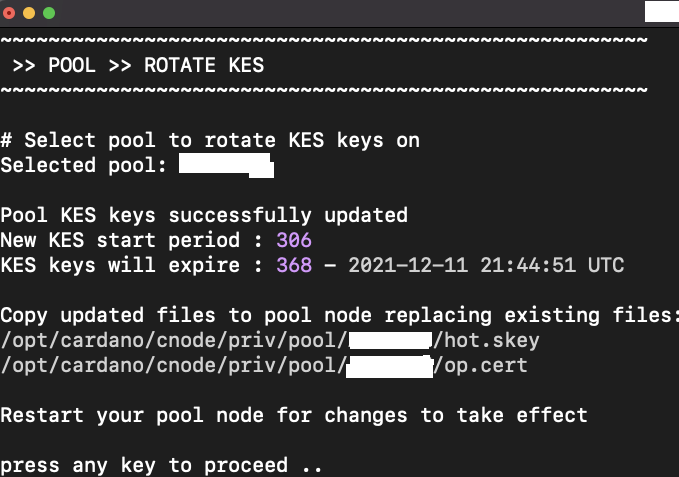
Then select Pool Operation, Rotate. You see a message like this,
- Navigate to your pool directory "$CNODE_HOME/priv/pool/PoolName"
- The above screenshot says, copy only 2 files, but we believe you must copy all these updated files "op.cert","cold.counter","hot.skey","hot.vkey","kes.start" to a secure USB device
BP/Online Node
- Copy files from secure USB drive to BP node directory "$CNODE_HOME/priv/pool/PoolName"
- Change the permissions for copied files, if different, should be “chmod 700”
- Restart the cnode service for changes to take effect
- Verify the gLiveView to see the updated KES period (should match the terminal screenshot above). Pay close attention to KES start period and KES expiration.
- Check the cbor hex key using the command below. If you have successfully updated your server
# Check KES key counter value: - Run command below from any directory path
cardano-cli text-view decode-cbor --in-file /opt/cardano/cnode/priv/pool/PoolName/op.cert | grep int | head –1
Output:- Key Rotation - incremental int value # int(incremental int value)
Output:- 00 # int(0) (At pool creation)
Output:- 01 # int(1) (Post 1st KES key rotation)
Output:- 02 # int(2) (Post 2nd KES key rotation)